

iSpring WSP / WSP-SL Water Filter Cover
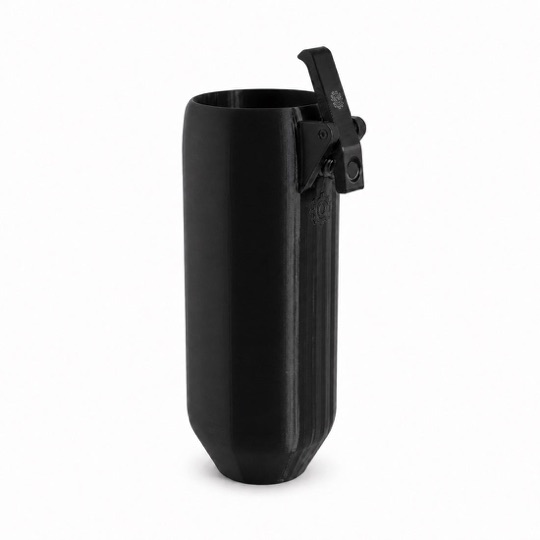
A removable external cover for the supported iSpring WSP and WSP-SL models listed below. It shades the clear bowl to help prevent algae growth.
Check the model before ordering
The listed WSP and WSP-SL models share this cover. Match your full model number against the compatibility list below; other iSpring product families are not covered by this list.
Supported models
- WSP-50
- WSP-100
- WSP-200
- WSP-500
- WSP-1000
- WSP-50SL
- WSP-100SL
- WSP-200SL
- WSP-500SL
- WSP-1000SL
How this cover fits
The photo shows the cover itself. It arrives with the clips attached and slides over the clear housing. Remove it before flushing, inspecting or servicing the filter, then slide it back on after maintenance.
Each cover is 3D printed in black PETG and arrives assembled with its clips attached. It is an external accessory for your existing housing.
Installation in about 10 seconds
- Open the package. Your filter cover arrives 100% assembled.
- Slide the cover up over the clear filter housing.
- Secure the clips so they hold the housing snugly.
Keep up with filter care
Slide the cover off before flushing, inspecting or servicing your filter. Continue the manufacturer’s cleaning, cartridge or screen-care routine.
Follow iSpring’s location and weather-protection instructions. A shade cover does not replace a required enclosure or provide freeze protection. Read the iSpring manual.
The cover shades your housing to help prevent algae growth. It does not clean existing buildup, filter the water or replace routine maintenance. For help matching a model, email [email protected].